
An omnichannel rollout plan that keeps ownership clear
Introduce connected voice, WhatsApp, SMS and email workflows without creating duplicate cases or abandoned conversations.
Read the guide
How the WhatsApp Business Platform works for customer service teams: the 24-hour customer service window, template categories, per-message pricing, opt-in rules and how to staff WhatsApp alongside voice.
A contact center uses WhatsApp through the WhatsApp Business Platform. When a customer messages you, a 24-hour customer service window opens in which agents can reply freely; outside it, you can only send pre-approved templates in the marketing, utility or authentication categories. Since July 1, 2025 Meta charges per delivered message rather than per conversation, and business-initiated messages need the customer's opt-in.
Part of our guide: Contact center software
In many markets, including much of the Middle East, South Asia, Latin America and Europe, customers already use WhatsApp every day and expect to reach businesses there. Messaging lets customers reply when convenient, send photos and documents, and keep a written record, which suits order updates, appointment changes and support that does not need a live call.
For the contact center, WhatsApp is asynchronous work. One agent can handle several conversations, but each conversation can stay open for hours. Planning, routing and reporting must treat it differently from a voice queue.
According to Meta's documentation, when a customer messages or calls your business on WhatsApp, a 24-hour customer service window starts, and each new customer message resets it. Inside the window, agents can send free-form replies. Once it closes, you can only send approved template messages until the customer writes again.
Design workflows around this rule. If a case needs follow-up after 24 hours, such as a refund confirmation or an engineer visit, prepare a utility template in advance and route the follow-up to an owner with a due date.
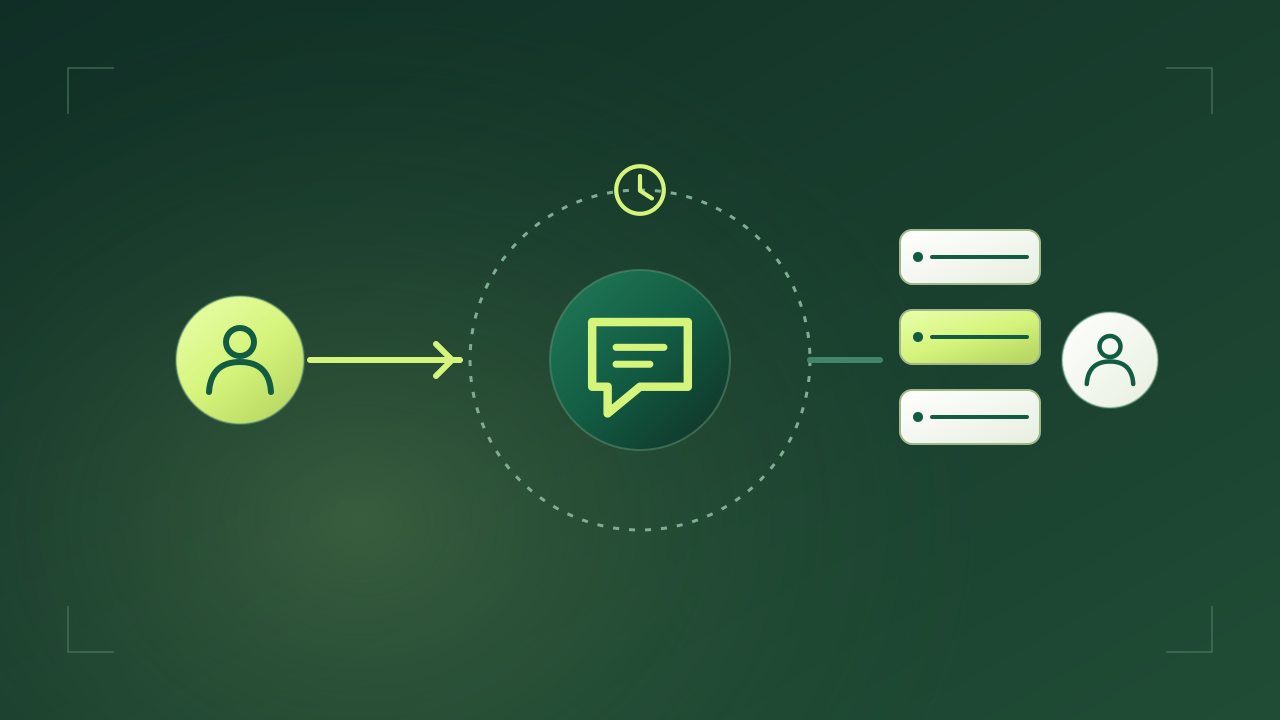
Agents can reply freely only within the 24-hour customer service window; after it, use approved templates.
Templates are message formats approved by Meta before use. Meta defines three categories: marketing templates for promotional objectives, utility templates for transactional or informational objectives such as order or appointment updates, and authentication templates for identity verification such as one-time codes.
Write templates for each real follow-up your agents need, use variables for names, dates and reference numbers, and keep promotional content out of utility templates; Meta reviews and can recategorise templates. Track which templates exist, who owns them and when they were last reviewed.
Meta replaced conversation-based pricing with per-message pricing on July 1, 2025. Businesses are charged when a template message is delivered, and rates depend on the template category and the recipient's country. Messages from customers to businesses are not charged.
Meta's pricing page also records a change effective October 1, 2026: each business phone number receives 1,000 free delivered service messages per month, after which service messages and in-window utility replies are billable. Check Meta's current rate cards and your provider's fees before budgeting, and model volume by template category rather than by conversation.
Before sending business-initiated messages, you need the customer's mobile number and opt-in permission. Meta requires the opt-in to state clearly that the person is agreeing to receive messages and to name the business, and businesses must also comply with applicable law and the WhatsApp Business Messaging Policy.
Record when and how each customer opted in, honour opt-out requests quickly, and keep marketing frequency low. Poor-quality or unwanted messages can reduce a number's messaging limits or lead to restrictions, which affects every team that uses that number.
Plan WhatsApp workload from active handling effort and response-time targets, not from conversation duration. Set a concurrency limit per agent based on complexity, and use the digital concurrency calculator to estimate how many agents a peak needs. Track first response time, resolution time and conversations waiting beyond target.
Route WhatsApp into the same inbox and customer history as calls, so an agent can see a customer's recent call before replying, and escalate to a voice call when a written exchange stalls. DialerBee's omnichannel inbox handles voice, WhatsApp, SMS and email in one place on its Professional plan.
AI can answer common questions, collect details and draft replies inside the customer service window. Keep it to answers your knowledge base supports, tell customers when they are talking to automation, and hand off to a person with the conversation history when the request is outside scope or the customer asks.
Test AI replies in every language you serve, including dialects and mixed-language messages, and review a sample of conversations each week for accuracy and tone.
Messages from customers are not charged. Under Meta's current pricing, each business number gets 1,000 free delivered service messages per month from October 1, 2026, and template messages are charged per delivery by category and country. Check Meta's current rates.
You can no longer send free-form messages. You can send an approved template, such as a utility update, and the window reopens when the customer replies.
Yes. Through the WhatsApp Business Platform and a contact center inbox, many agents can work conversations on one business number, with routing, assignment and history handled by the platform.
For business-initiated messages, yes. The opt-in must clearly say the person is agreeing to receive messages and name your business, and you must also follow applicable law.
Prepared by the ContactCenter.me editorial team, a BroadNet resource powered by DialerBee. Product statements reflect the linked documentation checked 2026-11-25. Operational examples are planning guidance. Read our editorial standards and commercial disclosure.
Model chat or messaging staffing with a clearly stated concurrency assumption.
Get a suggested DialerBee demonstration agenda based on how your team works.
Check whether your knowledge, escalation, testing and operational ownership are ready for an AI pilot.

Introduce connected voice, WhatsApp, SMS and email workflows without creating duplicate cases or abandoned conversations.
Read the guide
Define eligible appointments, reminders, cancellations and recovery before measuring missed bookings.
Read the guide
Choose a bounded workflow, representative fixtures, failure tests and a complete evidence-based decision record.
Read the guideExplore your requirements with a DialerBee specialist. Bring your workflows, your carrier, and your questions.