
Missed-call recovery: classify the event before choosing a response
Separate queue abandonment, closed-hours calls and technical failures, then assign an appropriate recovery action.
Read the guide
Design an IVR around caller intent, useful routing, accessible prompts and reliable fallbacks rather than internal departments.
A useful IVR gets callers to a completed task or the right person with minimal repeated effort. Start with common caller intents, write short prompts and design no-input, invalid-input, after-hours and outage paths. Test the flow from a real phone and verify the destination and recorded outcome of every branch.
Part of our guide: Contact center software
An organisational chart is rarely a good phone menu. Customers know they want to change an appointment, understand a bill or resolve a fault. They may not know which department owns that task. Group the menu around recognisable intents and route to the responsible team behind the scenes.
Review recent call reasons and speak to agents before drawing a flow. Separate the tasks that can be completed without an agent from those that need judgement or identity checks. If a menu option exists only to move the caller through another menu, reconsider its purpose. Every step should help the customer choose or help the system act.
People cannot scan a spoken menu as easily as a page. Use familiar words, keep choices distinct and put essential instructions close to the action. Record or generate prompts in the languages your audience uses, and test them with native speakers. Confirm that names, numbers and acronyms are pronounced intelligibly.
Avoid tying the whole flow to a long introductory announcement. Put detailed information where it is relevant, allow a caller to repeat instructions and define how an early keypress behaves. Test with mobile audio and ordinary background noise. A prompt that sounds clear through studio headphones may be difficult to follow on a busy street.
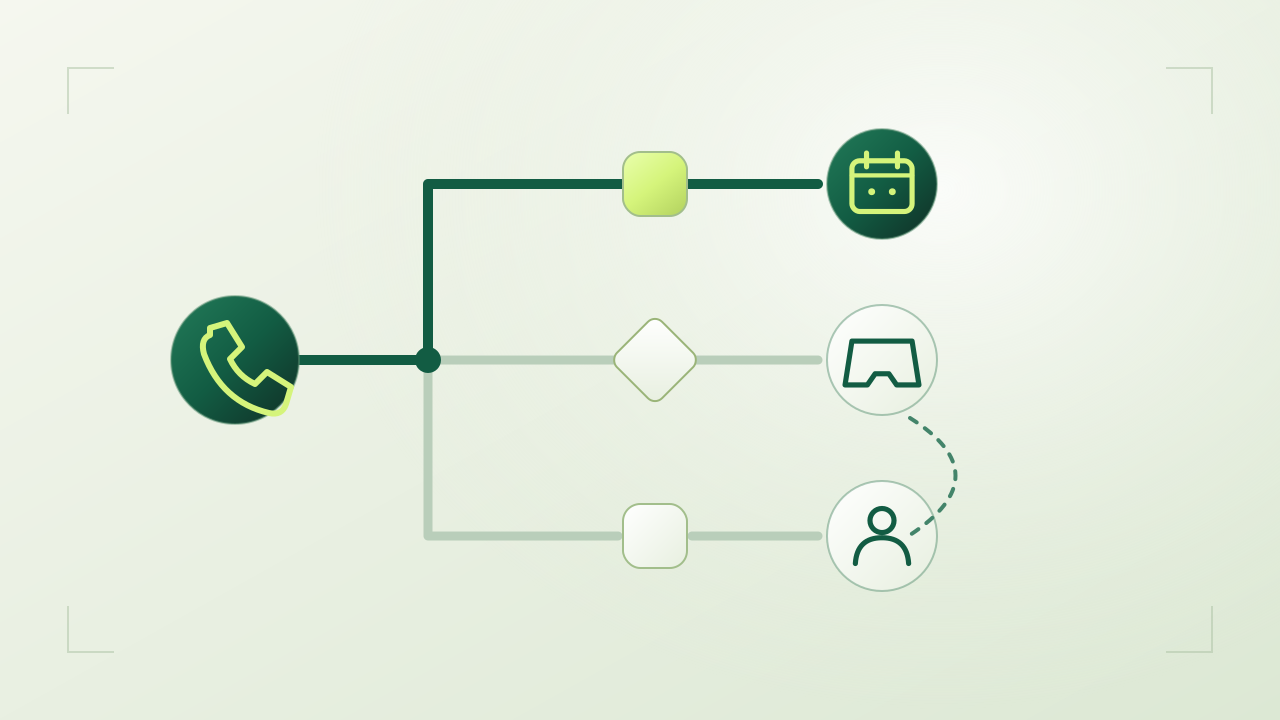
Use caller intents instead of an internal org chart.
For each input, specify what happens when the caller enters nothing, presses an invalid key or gives an answer the system cannot understand. Limit retries and provide a useful next step. A loop that returns to the same prompt indefinitely is not a fallback.
Cover closed hours, public holidays, a full queue, no agents available and an unavailable downstream service. Decide when to offer a callback or an alternative channel, and what evidence confirms the request was saved. Announcements should describe what will actually happen. Do not tell a caller an appointment or callback is confirmed when the system has only collected an unassigned request.
Ask for identifying information only when the next task needs it, and apply your approved verification policy before sensitive disclosure or changes. If the caller transfers to a person, pass appropriate verified context so the customer does not repeat every answer. Distinguish caller-supplied information from information the system verified.
Treat integration responses deliberately. A CRM lookup can return no match, multiple matches, a timeout or stale information. Each needs an explicit path. The same applies to payment, booking and account-status services. A flow diagram should show these outcomes and the responsible fallback, rather than assuming every connected service always replies successfully.
Give each published flow a version and record what changed. Build an acceptance checklist that calls every branch, including transfer destinations and after-hours handling. Use authorised test numbers and sample records, then compare the real call result with the diagram. Ask someone who did not build the flow to test it.
DialerBee publishes a visual IVR builder with versioning, templates and exportable diagrams. Its described nodes include routing, language selection, CRM lookup, booking and AI functions. Confirm which nodes and plan support your use case. A large node library is useful only if the resulting flow can be tested, understood and maintained by your team.
Review menu exits, repeat calls, wrong transfers, failed self-service and requests for a human. Interpret short calls carefully: a caller may have completed a task or simply given up. Where you can, connect the menu path to the resolved issue and examine samples before changing the flow.
Make one meaningful change at a time when practical, retain a rollback version and compare similar periods. Assign an owner for prompt accuracy and business-hours changes. An IVR is part of the customer service process, so a new office schedule, product or escalation policy should trigger a flow review rather than waiting for the next complaint.
Use the fewest distinct choices needed for your callers. Test comprehension and routing outcomes rather than following a universal number.
Only when the AI can safely handle the relevant tasks and has a reliable fallback. Preserve a clear path to a person where appropriate.
Prepared by the ContactCenter.me editorial team, a BroadNet resource powered by DialerBee. Product statements reflect the linked documentation checked 2026-11-25. Operational examples are planning guidance. Read our editorial standards and commercial disclosure.
Track the practical work needed before moving queues, numbers, agents and workflows.
Calculate abandonment with a consistent short-call exclusion policy.
Calculate your service level with an explicit short-abandon exclusion policy.

Separate queue abandonment, closed-hours calls and technical failures, then assign an appropriate recovery action.
Read the guide
Definitions and formulas for the twelve contact center KPIs teams use most, what each one hides, and which metrics to read together.
Read the guide
Move to a new contact-center platform while retaining your SIP carrier, with test calls, staged routing, ownership and a documented rollback.
Read the guideExplore your requirements with a DialerBee specialist. Bring your workflows, your carrier, and your questions.